The standard way to build a form in SvelteKit is a +page.server.ts with a form action, a Zod schema for validation, and sveltekit-superforms to keep server errors, client validation and the form state in sync. It is a good pattern. It is also four files of nearly identical wiring every time you need a new form, and the details (superValidate on both sides, fail(400) on invalid input, the zod4Client adapter for browser validation) are easy to get subtly wrong. The vela generate form generator writes that wiring from a field list.
Prerequisites
A SvelteKit project with the vela CLI. Create one:
or add vela to a project you already have:
Coming from vanilla SvelteKit explains what bless adds. This tutorial assumes authentication is enabled, which is why the generated route lands under (app); without auth it lands under (public) instead.
npx sv create project, npx vela generate form installs Superforms and Zod and writes the same schema and form action, with three differences: the route lands at src/routes/contact because there are no route groups, the page is plain HTML (native inputs with data-field and data-error hooks to style) instead of shadcn-svelte components, and a successful submit reports through Superforms' message() rather than a toast. The server test is only written when the project has the test harness, which vela enable backend adds. Pass --ui plain to get the plain markup in a vela project too.Run the command
A form is a name followed by fields. Each field is name:type, and ! makes it required:
✔ Created 4 files
  src/lib/schemas/contact.ts
  src/routes/(app)/contact/+page.svelte
  src/routes/(app)/contact/+page.server.ts
  src/routes/(app)/contact/server.test.ts
The editor type is a long-text field. Any shadcn-svelte components the form needs (here form, input and textarea) are installed into src/lib/components/ui if they are not there already.
What was generated
The schema
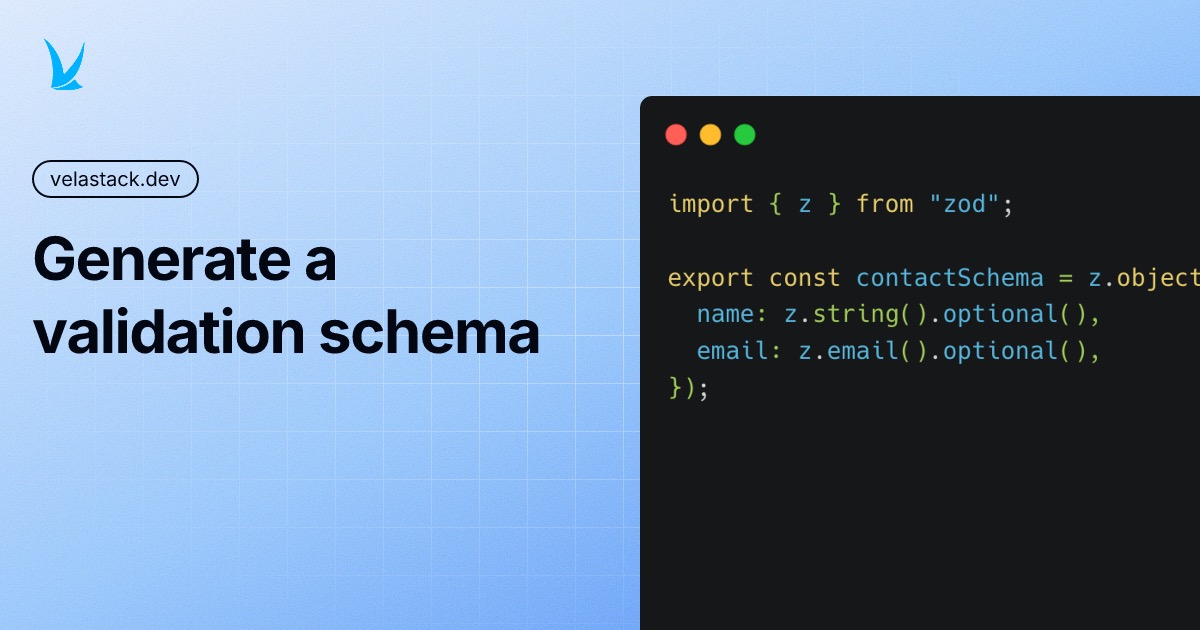
Every field became a Zod rule. Required fields are non-empty, email is validated as an address, and the optional message is marked optional:
import { z } from "zod";

export const contactSchema = z.object({
  name: z.string().nonempty(),
  email: z.email(),
  message: z.string().optional(),
});
The form action
The server side is the canonical Superforms shape: load creates an empty form from the schema, the action validates the request against the same schema and returns fail(400) with the errors when it does not pass.
import { fail, superValidate } from "sveltekit-superforms";
import { zod4 } from "sveltekit-superforms/adapters";
import { contactSchema } from "$lib/schemas/contact";
import { setFlash } from "sveltekit-flash-message/server";

export const load = async () => {
  const form = await superValidate(zod4(contactSchema));
  return { form };
};

export const actions = {
  default: async ({ request, cookies }) => {
    const form = await superValidate(request, zod4(contactSchema));

    if (!form.valid) {
      return fail(400, { form });
    }

    setFlash({ type: "toast", message: "Form posted successfully" }, cookies);

    return { form };
  },
};
The setFlash call on line 19 shows a toast after a successful submit. It is the placeholder for whatever your form should actually do, and the next section replaces it.
The page
The page creates a superForm from the server data and enables client-side validation with the same schema, so the browser shows errors before the request ever leaves. Each field is a Form.Field bound to the form store:
<script lang="ts">
  import { untrack } from "svelte";
  import { superForm } from "sveltekit-superforms";
  import { zod4Client } from "sveltekit-superforms/adapters";
  import { contactSchema } from "$lib/schemas/contact";
  import * as Form from "$lib/components/ui/form";
  import { Input } from "$lib/components/ui/input";
  import { Textarea } from "$lib/components/ui/textarea";

  let { data } = $props();
  const form = superForm(
    untrack(() => data.form),
    {
      validators: zod4Client(contactSchema),
    },
  );

  const { form: formData } = form;
</script>

<section data-role="content">
  <div class="flex justify-between items-center mb-4">
    <h1 class="text-3xl font-bold tracking-tight">Contact</h1>
  </div>
  <div class="bg-card rounded-lg shadow-sm border p-4">
    <form method="POST">
      <div class="grid grid-cols-1 md:grid-cols-2 gap-4">
        <Form.Field {form} name="name" class="col-span-1">
          <Form.Control>
            {#snippet children({ props })}
              <Form.Label>Name</Form.Label>
              <Input
                {...props}
                type="text"
                bind:value={$formData.name}
                required
              />
            {/snippet}
          </Form.Control>
          <Form.FieldErrors class="contents text-destructive" />
        </Form.Field>
        <Form.Field {form} name="email" class="col-span-1">
          <Form.Control>
            {#snippet children({ props })}
              <Form.Label>Email</Form.Label>
              <Input
                {...props}
                type="email"
                bind:value={$formData.email}
                required
              />
            {/snippet}
          </Form.Control>
          <Form.FieldErrors class="contents text-destructive" />
        </Form.Field>
        <Form.Field {form} name="message" class="col-span-2">
          <Form.Control>
            {#snippet children({ props })}
              <Form.Label>Message</Form.Label>
              <Textarea {...props} bind:value={$formData.message} />
            {/snippet}
          </Form.Control>
          <Form.FieldErrors class="contents text-destructive" />
        </Form.Field>
      </div>

      <div class="mt-4 flex gap-2 border-t pt-4 -mx-4 px-4">
        <Form.Button>Submit</Form.Button>
      </div>
    </form>
  </div>
</section>
The test
The generator also writes a server test that signs in, fetches the page and posts a valid submission:
import { beforeEach, describe, expect, it } from "vitest";

describe("/contact", () => {
  beforeEach(async (context) => {
    await context.agent.authenticateUser();
  });

  describe("GET /contact", () => {
    it("should return a 200 status code", async (context) => {
      const response = await context.agent.get("/contact");
      expect(response.status).toBe(200);
    });
  });

  describe("POST /contact", () => {
    it("should submit the form successfully", async (context) => {
      const response = await context.agent
        .post("/contact")
        .type("form")
        .send({
          name: "name value",
          email: "test-email@example.com",
          message: "message value",
        });
      expect(response.body.status).toBe(200);
    });
  });
});
Try it
Sign in and open localhost:5173/contact. Submit the form empty and the required fields light up without a round trip; fill it in and the toast appears.
Make it yours
A contact form should keep the message. Create a collection for it with the resource generator:
Then store the submission in the action. The highlighted lines are the change:
import { fail, superValidate } from "sveltekit-superforms";
import { zod4 } from "sveltekit-superforms/adapters";
import { contactSchema } from "$lib/schemas/contact";
import { setFlash } from "sveltekit-flash-message/server";

export const load = async () => {
  const form = await superValidate(zod4(contactSchema));
  return { form };
};

export const actions = {
  default: async ({ request, cookies, locals }) => {
    const form = await superValidate(request, zod4(contactSchema));

    if (!form.valid) {
      return fail(400, { form });
    }

    await locals.admin.collection("messages").create(form.data);

    setFlash({ type: "toast", message: "Thanks, we'll be in touch" }, cookies);

    return { form };
  },
};
locals.admin is the PocketBase client with full access, which is what you want for writing a record on a visitor’s behalf. locals.pb is the same client scoped to the signed-in user.
--route "(public)/contact" puts it on a public URL, and dynamic segments work too: --route "(app)/[team_id]/projects/new". The schema still lands in src/lib/schemas.Tests
The generated server.test.ts runs with the rest of your suite:
It posts real form data to the real action against a throwaway database, so a broken schema or a renamed field fails the build rather than a user.
Going further
- Form actions vs remote functions, and the
--remoteflag that generates the other kind - Generate the schema by itself when you only need validation
- Full CRUD from the same field list
- Undo with
vela destroy form contact - Pattern page: Form · Docs: vela generate form